
Introduction to Database Management Systems
Learn what databases and DBMS are, why database management systems are needed, their real-world applications, and what this DBMS series covers.

Introduction
Almost every digital service we use depends on data. Universities maintain student records, banks manage transactions, hospitals store patient information, and online shopping platforms keep track of products, customers and orders.
As the amount of data grows, storing and managing it becomes increasingly difficult. Information may get duplicated, records may become inconsistent, searching may take longer, and protecting sensitive data becomes more challenging.
To solve these problems, we use Database Management Systems (DBMS).
A DBMS provides an organized way to store, manage, retrieve and manipulate data. It allows users and applications to interact with databases without having to deal with every detail of how the data is physically stored.
In this article, we will understand what data, databases and DBMSs are, why database management systems are important, where they are used, and what we will explore throughout this series.
What Is Data?
Data refers to raw facts, figures or observations that can be recorded and processed.
Examples include:
- Student names
- Roll numbers
- Examination marks
- Dates of birth
- Product prices
- Bank account balances
Consider the following marks recorded for three students:
| Student | Marks |
|---|---|
| Aamir | 85 |
| Sara | 92 |
| Zaid | 76 |
These values are data. When we organize and process them to calculate averages, identify the highest scorer or determine how many students passed, we obtain useful information.
In simple terms, data represents recorded facts, while information is data that has been processed or organized to provide meaning.
What Is a Database?
A database is an organized collection of related data stored in a way that makes it easier to access, manage and update.
For example, a university may maintain a database containing information about students, teachers, courses, departments, examination results and attendance.
A simple student database might contain the following table:
| Student ID | Name | Department | Semester |
|---|---|---|---|
| 101 | Aamir | Computer Science | 2 |
| 102 | Sara | AI & Data Science | 4 |
| 103 | Zaid | Mathematics | 2 |
Because the records are organized, the university can easily find a particular student, update their details or retrieve all students belonging to a specific department.
A database is not simply a collection of files. It is structured and managed in a way that supports efficient access, modification and maintenance of data.
What Is a Database Management System (DBMS)?
A Database Management System (DBMS) is software that enables users to create, store, organize, retrieve, update and manage data in databases.
It acts as an interface between users or applications and the database.
For example, when a student checks their examination results through a university website, the website sends a request to the DBMS. The DBMS retrieves the required information from the database and returns it to the application, which displays the result.
Some popular database management systems include:
- MySQL
- PostgreSQL
- Oracle Database
- Microsoft SQL Server
- SQLite
- MongoDB
These systems differ in how they store and manage data, but they all provide ways to work with data efficiently.
Database vs DBMS
The terms database and DBMS are closely related, but they refer to different things.
| Database | DBMS |
|---|---|
| An organized collection of data. | Software used to manage that data. |
| Contains the actual records. | Provides tools to create, retrieve and manipulate records. |
| Example: Student records. | Example: MySQL managing student records. |
Think of a database as the information itself and the DBMS as the software that helps you manage that information.
Why Do We Need a DBMS?
Imagine a university managing thousands of students using ordinary files and spreadsheets.
As the university grows, several problems may arise.
Data Redundancy
Data redundancy occurs when the same information is stored unnecessarily in multiple places.
For example, a student’s name, phone number and department may be repeated in attendance files, examination files and fee records.
This wastes storage and makes data maintenance more difficult.
Data Inconsistency
When the same information exists in multiple places, updating one copy but not another can create conflicting records.
For example, if a student changes their phone number but the change is made only in the attendance file, other files may still contain the old number.
Difficult Data Access
Finding particular information in large collections of files may require manually searching multiple files or writing separate programs.
A DBMS makes retrieving specific information easier and more efficient.
Data Security
Not every user should have access to every piece of information.
For example, students may be allowed to view their own results, while examination administrators may have permission to modify marks.
A DBMS provides mechanisms to control who can access data and what operations they can perform.
Data Integrity
Data must remain accurate and valid.
For example:
- Student IDs should not be duplicated.
- Marks should not exceed the permitted maximum.
- Required fields should not be left empty.
A DBMS can enforce rules to help maintain the correctness of stored data.
Concurrent Access
Multiple users may access the same database simultaneously.
For example, thousands of students might try to check their results at the same time.
A DBMS manages simultaneous access to help prevent conflicts and maintain data correctness.
Backup and Recovery
Data may be lost because of hardware failures, software errors or accidental deletion.
A DBMS provides mechanisms for backup and recovery, helping restore data after failures.
Where Are DBMSs Used?
Database management systems are used in almost every industry.
| Application | Data Managed |
|---|---|
| Universities | Students, courses, marks and attendance |
| Banking | Accounts, balances and transactions |
| Hospitals | Patients, appointments and medical records |
| E-commerce | Products, customers, orders and payments |
| Airlines | Flights, bookings and passenger information |
| Government | Citizens, documents and public records |
| Social media | Profiles, posts, messages and interactions |
Whenever an application needs to store, retrieve and manage information reliably, databases are likely to be involved.
What Will We Learn in This Series?
Throughout this series, we will gradually move from fundamental database concepts to designing databases, querying them and understanding how they maintain reliability.
Introduction to Database Systems
- Introduction to Database Management Systems
- Purpose, Characteristics and Applications of Database Systems
- Components and Architecture of DBMS
- Three-Schema Architecture and Data Independence
- Database Schemas, Instances and Data Models
- Entity-Relationship Model: Entities, Attributes and Relationships
- Relational Model: Tables, Tuples, Attributes and Keys
Relational Database Design
- Integrity Constraints in Relational Databases
- Functional Dependencies and Attribute Closure
- Candidate Keys, Superkeys and Key Identification
- Database Normalization and Database Anomalies
- First Normal Form (1NF)
- Second Normal Form (2NF)
- Third Normal Form (3NF)
- Boyce-Codd Normal Form (BCNF)
- Multivalued Dependencies and Fourth Normal Form (4NF)
- Relational Database Design: Lossless Decomposition, Dependency Preservation and Denormalization
Query Languages
- Introduction to Relational Algebra
- Fundamental Relational Algebra Operations
- Advanced Relational Algebra Operations
- Introduction to SQL and Data Definition Language (DDL)
- Data Manipulation, Control and Transaction Control Languages
- SQL Constraints and Database Keys
- SQL Queries: Filtering, Sorting and Basic Operations
- SQL Aggregate Functions and Grouping
- Introduction to SQL Joins and INNER JOIN
- Outer Joins: LEFT, RIGHT and FULL OUTER JOIN
- Advanced SQL Joins: CROSS JOIN, SELF JOIN and NATURAL JOIN
- SQL Views and Subqueries
- Introduction to NoSQL Databases
- MongoDB: Documents, Collections and Query Operations
- Cassandra and Cassandra Query Language (CQL)
Transaction Management and Concurrency Control
- Introduction to Database Transactions
- ACID Properties of Database Transactions
- Transaction Schedules and Serializability
- Concurrency Problems and Control Techniques
- Lock-Based Concurrency Control and Two-Phase Locking
- Deadlocks: Detection, Prevention and Recovery
- Timestamp-Based and Optimistic Concurrency Control
- Database Recovery: Logs, Checkpoints, Undo and Redo
How to Study This Series
Database concepts build upon one another, so following the sequence will make learning easier.
- Read the articles in order, particularly while learning the fundamentals.
- Understand the examples instead of memorizing definitions alone.
- Practice SQL queries when we reach SQL topics.
- Attempt the five-question quiz after every article.
- Revisit earlier concepts whenever a later topic builds upon them.
You do not need to master the entire subject in one sitting. The goal is to build understanding gradually, with each article adding another piece to the bigger picture.
Article in a Nutshell
A database is an organized collection of related data, while a Database Management System (DBMS) is software used to create, manage, retrieve and manipulate that data.
DBMSs help overcome problems associated with traditional file-based storage, including redundancy, inconsistency, poor security, difficult access and data loss. They are essential to applications ranging from universities and banks to hospitals and online platforms.
Throughout this series, we will learn how databases are structured, how to design them, how to query them and how to ensure their reliability.
In the next article, we will explore the purpose, characteristics and applications of database systems in greater detail.
Quick quiz
5 questionsOriginally published at farhanpaal.com — https://farhanpaal.com/articles/introduction-to-database-management-systems/
Keep a copy
Read offline as a printout or PDF.
farhanpaal.comKeep reading
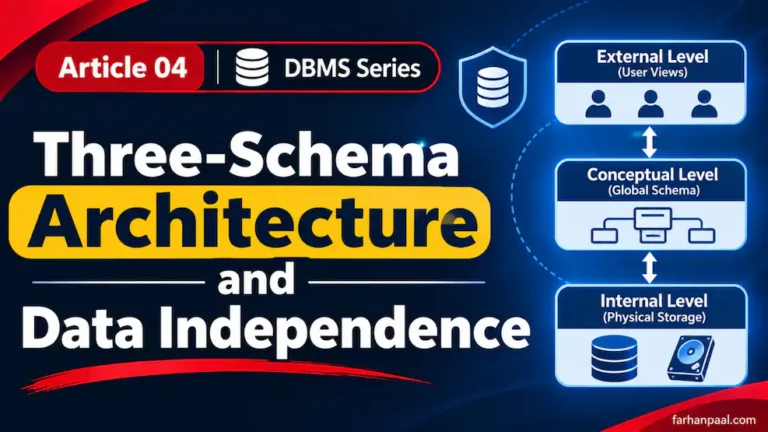
Three-Schema Architecture and Data Independence.
Understand the Three-Schema Architecture of DBMS, its external, conceptual and internal levels, and the difference between physical and logical data independence.
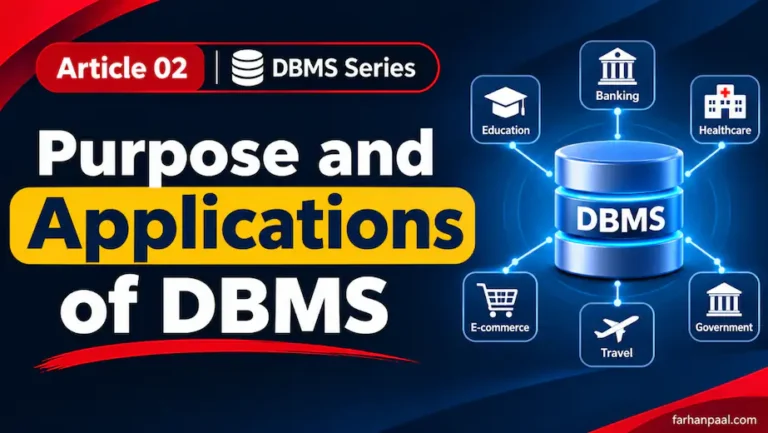
Purpose, Characteristics and Applications of Database Systems
Explore the purpose of database systems, their key characteristics, and how they are used in banking, education, healthcare, e-commerce, and other fields.

Integrity Constraints in Relational Databases
Learn about integrity constraints in relational databases, including domain, key, entity, and referential integrity, along with SQL constraints and examples.