
Arrays: Understanding the Basics
Learn the basics of arrays, including indexing, memory representation, accessing, updating, traversing, insertion, and deletion with simple C examples.

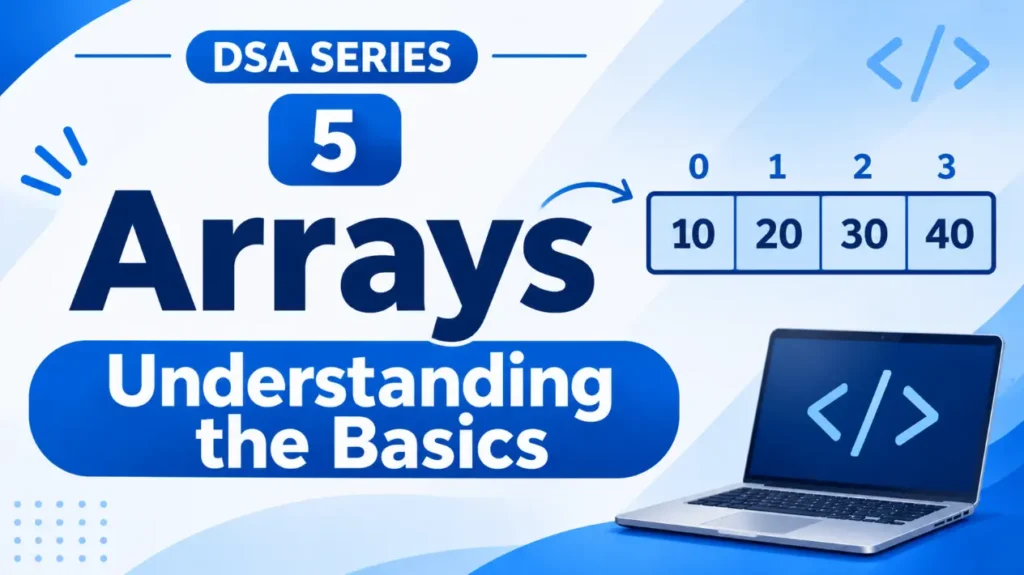
Imagine you are storing the marks of 50 students. You could create 50 separate variables, but managing them individually would be difficult.
A better approach is to use an array.
An array allows us to store multiple values of the same data type under a single name. Let’s understand how it works.
1. What Is an Array?
An array is a linear data structure that stores multiple elements of the same data type in consecutive memory locations.
For example, instead of writing:
int mark1 = 70;
int mark2 = 85;
int mark3 = 90;
int mark4 = 65;
We can store all these marks in one array:
int marks[4] = {70, 85, 90, 65};Here:
intspecifies the data type.marksis the name of the array.4specifies the number of elements.- The values inside
{ }are the elements of the array.
Now, all four marks can be managed using a single variable name: marks.
2. Understanding Array Indexing
Each element in an array has a position called an <span class=”tooltip-term” data-tooltip=”An index is the position number used to access an element in an array. In C, indexing starts from 0.”>index</span>.
In C, array indexing starts from 0, not 1.
Consider our marks array:
int marks[4] = {70, 85, 90, 65};Its elements and indexes look like this:
Index:       0      1      2      3
           +------+------+------+------+
Marks:     |  70  |  85  |  90  |  65  |
           +------+------+------+------+
Therefore:
marks[0]gives us70.marks[1]gives us85.marks[2]gives us90.marks[3]gives us65.
Remember: If an array contains n elements, its indexes range from 0 to n-1.
3. How Are Arrays Stored in Memory?
One important feature of arrays is that their elements are stored in <span class=”tooltip-term” data-tooltip=”Contiguous memory means that elements occupy consecutive memory locations, one after another.”>contiguous memory locations</span>.
This means that the elements are placed next to one another in computer memory.
For example:
Memory:

+------+------+------+------+
|  70  |  85  |  90  |  65  |
+------+------+------+------+
   ↓      ↓      ↓      ↓
marks[0] marks[1] marks[2] marks[3]
Because the elements are stored consecutively, the computer can calculate the memory location of an element using its index. This allows direct access to any element.
4. Basic Operations on Arrays
We can perform several operations on an array.
A. Accessing an Element
We can access any element directly using its index.
int marks[4] = {70, 85, 90, 65};

printf("%d", marks[2]);
Output:
90Here, marks[2] accesses the element at index 2.
B. Updating an Element
We can change an existing element by referring to its index.
marks[1] = 95;The array now becomes:
{70, 95, 90, 65}The value at index 1 has changed from 85 to 95.
C. Traversing an Array
<span class=”tooltip-term” data-tooltip=”Traversal means visiting each element of a data structure, usually to display or process its values.”>Traversing</span> an array means visiting its elements one by one.
We commonly use a loop for this:
int marks[4] = {70, 85, 90, 65};

for (int i = 0; i < 4; i++) {
    printf("%d\n", marks[i]);
}
Output:
70
85
90
65
The loop starts at index 0 and continues until it reaches the last index, 3.
D. Insertion and Deletion
We can also insert new elements into an array or delete existing ones.
However, these operations may require shifting other elements to make space or fill an empty position.
For example, inserting 80 at index 1:
Before:  70   85   90   65

After:   70   80   85   90   65
The existing elements from index 1 onward need to move one position to the right.
We’ll explore the limitations and applications of arrays in a later article.
5. Declaring and Initialising an Array
In C, an array can be declared using the following syntax:
data_type array_name[size];For example:
int numbers[5];This declares an integer array that can hold five elements.
We can also declare and initialise it together:
int numbers[5] = {10, 20, 30, 40, 50};If we provide the values, C can also determine the array size automatically:
int numbers[] = {10, 20, 30, 40, 50};An array is one of the most fundamental data structures in programming. It allows us to store multiple values of the same data type under one name and access them using indexes.
Its consecutive memory arrangement makes accessing elements by index efficient.
In the next article, we’ll explore two-dimensional arrays, matrix operations, and sparse matrices.
Originally published at farhanpaal.com — https://farhanpaal.com/articles/arrays-understanding-the-basics/
Keep a copy
Print this article or save it as a PDF to read offline.
farhanpaal.comKeep reading
Types of Data Structures: A Complete Overview
Learn about the different types of data structures, including primitive, non-primitive, linear, non-linear, static, and dynamic structures, with simple examples and practical…
Limitations and Applications of Linear Arrays
Understand where linear arrays are useful, their limitations, and when other data structures may be a better choice.
Space and Time Complexity in DSA
Understand time complexity, space complexity, Big O notation, and how to analyse algorithm efficiency with simple examples.