
Two-Dimensional Arrays, Matrix Operations, and Sparse Matrices
Understand two-dimensional arrays, row and column indexing, nested loops, matrix addition, subtraction, multiplication, and sparse matrix representation with simple examples.

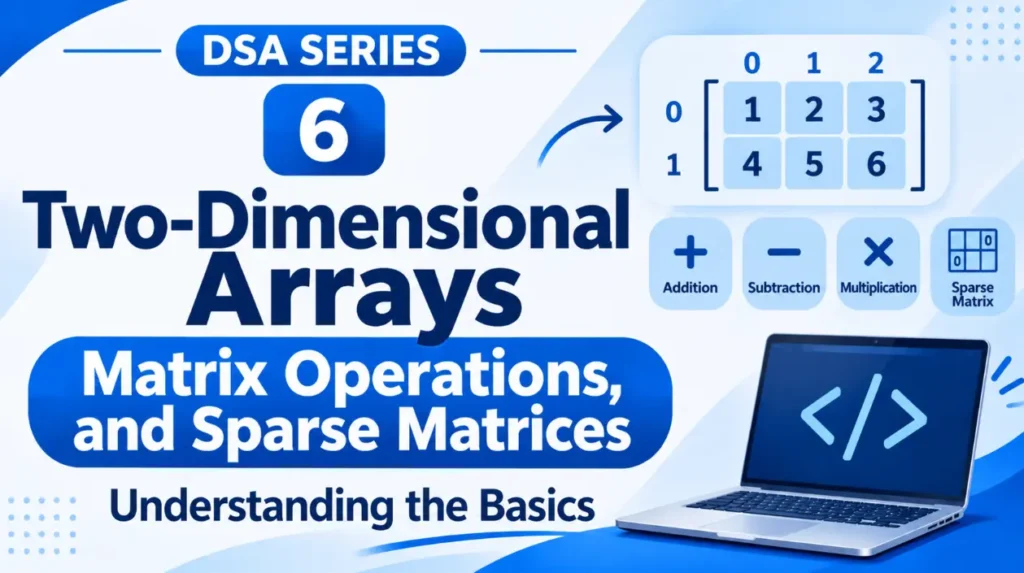
In the previous article, we learned how one-dimensional arrays store multiple values under a single name.
But what if we want to store data in rows and columns, like a table of student marks or a mathematical matrix?
This is where two-dimensional arrays become useful.
1. What Is a Two-Dimensional Array?
A two-dimensional array is an array in which elements are organised into rows and columns.
For example, consider the marks of three students in two subjects:
int marks[3][2] = {
    {80, 75},
    {90, 85},
    {70, 95}
};
This array contains:
- 3 rows, representing students.
- 2 columns, representing subjects.
Its structure looks like this:
             Subject 1   Subject 2
           +-----------+-----------+
Student 1  |    80     |    75     |
           +-----------+-----------+
Student 2  |    90     |    85     |
           +-----------+-----------+
Student 3  |    70     |    95     |
           +-----------+-----------+
Here, marks[3][2] means the array has 3 rows and 2 columns, giving it a total of 6 elements.
2. Accessing Elements in a Two-Dimensional Array
In a two-dimensional array, we use two indexes to access an element:
array_name[row][column]For example:
printf("%d", marks[1][0]);Output:
90Why?
Because indexing starts from 0:
- Row index
1refers to the second row. - Column index
0refers to the first column.
Therefore, marks[1][0] gives us 90.
3. Traversing a Two-Dimensional Array
To visit every element in a two-dimensional array, we generally use two loops, one inside another.
This is called a <span class=”tooltip-term” data-tooltip=”A loop placed inside another loop. The inner loop completes its iterations for each iteration of the outer loop.”>nested loop</span>.
Example:
int marks[3][2] = {
    {80, 75},
    {90, 85},
    {70, 95}
};

for (int i = 0; i < 3; i++) {
    for (int j = 0; j < 2; j++) {
        printf("%d ", marks[i][j]);
    }
    printf("\n");
}
Output:
80 75
90 85
70 95
The outer loop moves through the rows, while the inner loop visits each column in the current row.
4. Basic Matrix Operations
A two-dimensional array can be used to represent a mathematical matrix.
A <span class=”tooltip-term” data-tooltip=”A matrix is a rectangular arrangement of numbers in rows and columns.”>matrix</span> is simply a rectangular arrangement of values.
For example:
A =             B =

1  2            5  6
3  4            7  8
We can perform different operations on matrices.
A. Matrix Addition
Matrix addition means adding the corresponding elements of two matrices.
For example:
A =  1  2       B =  5  6

     3  4            7  8
Adding them:
A + B =  6   8
        10  12
The elements at the same positions are added together.
Both matrices must have the same number of rows and columns.
B. Matrix Subtraction
Matrix subtraction works similarly. We subtract corresponding elements.
A =  5  8       B =  1  3

     9  7            4  2
Therefore:
A - B =  4  5
         5  5
C. Matrix Multiplication
Matrix multiplication involves multiplying the elements of a row in the first matrix by the corresponding elements of a column in the second matrix, and then adding the results.
For example:
A =  1  2       B =  5  6

     3  4            7  8
The first element of the resulting matrix is:
(1 × 5) + (2 × 7) = 19
The complete result is:
A × B =  19  22
         43  50
Unlike addition and subtraction, matrix multiplication does not require both matrices to have the same dimensions. The number of columns in the first matrix must equal the number of rows in the second matrix.
5. What Is a Sparse Matrix?
Consider a matrix containing 100 elements, where 90 elements are zero and only 10 contain non-zero values.
Storing all 100 elements requires memory, even though most of them are zero.
A matrix in which most elements are zero is called a <span class=”tooltip-term” data-tooltip=”A matrix in which most of its elements are zero. Storing only its non-zero elements can save memory.”>sparse matrix</span>.
For example:
0  0  5  0
0  0  0  0
8  0  0  0
0  0  0  3
Here, only three elements are non-zero.
Instead of storing every element, we can store only the non-zero values along with their row and column positions.
One common method is the three-column (triplet) representation.
Row   Column   Value
 0      2        5
 2      0        8
 3      3        3
This tells us:
- The value 5 is at row 0, column 2.
- The value 8 is at row 2, column 0.
- The value 3 is at row 3, column 3.
This representation can save memory when a matrix contains many zeros.
Two-dimensional arrays allow us to organise data in rows and columns. They are useful for representing tables, matrices, and other structured information.
We can perform operations such as addition, subtraction, and multiplication on matrices. When most matrix elements are zero, sparse matrix representation can help reduce memory usage.
In the next article, we’ll explore the limitations and applications of linear arrays.
Originally published at farhanpaal.com — https://farhanpaal.com/articles/two-dimensional-arrays-matrix-operations-and-sparse-matrices/
Keep a copy
Print this article or save it as a PDF to read offline.
farhanpaal.comKeep reading

Data Types, Objects, and Data Structures: Representation and Implementation
A beginner-friendly introduction to data types, objects, data representation, and implementation, with examples in C and C++.
Limitations and Applications of Linear Arrays
Understand where linear arrays are useful, their limitations, and when other data structures may be a better choice.

What is DSA?
Learn DSA from the basics with this beginner-friendly guide to data structures and algorithms. Understand arrays, linked lists, stacks, queues, trees, graphs,…