
Searching and Sorting Algorithms Compared
Compare Linear Search, Binary Search, and five popular sorting algorithms. Understand their working methods, time complexities, and when to use each one.

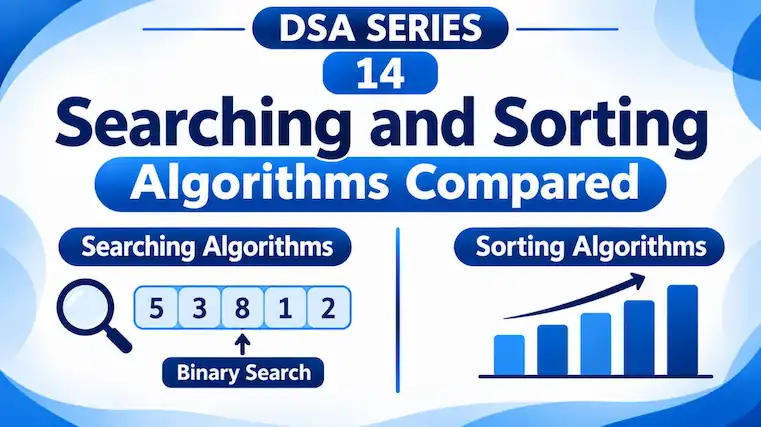
So far, we’ve explored different searching and sorting algorithms, including Linear Search, Binary Search, Bubble Sort, Selection Sort, Insertion Sort, Merge Sort, and Quick Sort.
But how do we decide which algorithm to use?
Let’s compare them based on how they work, their time complexity, and the situations in which they are useful.
1. Searching Algorithms
Searching algorithms help us find a particular element in a collection of data.
We’ve covered two searching algorithms:
Linear Search
- Checks elements one by one until the target is found.
- Works on both sorted and unsorted data.
- Its worst-case time complexity is O(n).
Binary Search
- Checks the middle element and eliminates half of the remaining search area at each step.
- Requires the data to be sorted.
- Its worst-case time complexity is O(log n).
Comparison
| Feature | Linear Search | Binary Search |
|---|---|---|
| Working method | Checks one by one | Divides the search area in half |
| Requires sorted data? | No | Yes |
| Best-case time | O(1) | O(1) |
| Average-case time | O(n) | O(log n) |
| Worst-case time | O(n) | O(log n) |
Example:
Suppose we have 1,000 student records and want to find a particular student.
- Linear Search may need to check all 1,000 records.
- Binary Search needs approximately 10 comparisons in the worst case, provided the records are sorted by the same key being searched.
This is why Binary Search is generally much faster for searching large, sorted collections.
2. Sorting Algorithms
Sorting algorithms arrange data in a particular order, such as ascending or descending.
We’ve studied five sorting algorithms:
Bubble Sort
- Compares adjacent elements and swaps them when they are in the wrong order.
- Simple to understand, but inefficient for large datasets.
Selection Sort
- Finds the smallest element and places it at the beginning of the unsorted portion.
- Useful when reducing the number of swaps is important.
Insertion Sort
- Takes one element at a time and inserts it into its correct position.
- Works particularly well with small or nearly sorted datasets.
Merge Sort
- Divides the array into smaller parts and merges them in sorted order.
- Provides consistent O(n log n) performance but requires additional memory.
Quick Sort
- Selects a pivot and rearranges elements around it.
- Usually performs very well, although poor pivot selection can make it slower.
Comparison
| Algorithm | Best Case | Average Case | Worst Case |
|---|---|---|---|
| Bubble Sort* | O(n) | O(n²) | O(n²) |
| Selection Sort | O(n²) | O(n²) | O(n²) |
| Insertion Sort | O(n) | O(n²) | O(n²) |
| Merge Sort | O(n log n) | O(n log n) | O(n log n) |
| Quick Sort | O(n log n) | O(n log n) | O(n²) |
Bubble Sort’s O(n) best case assumes an early-stop check is implemented.
3. Understanding the Complexity Difference
Let’s understand why these differences matter.
Suppose we have an array containing 10,000 elements.
- An O(n) algorithm performs work that grows roughly in proportion to the number of elements.
- An O(n²) algorithm can perform work that grows roughly with the square of the number of elements.
- An O(n log n) algorithm grows more slowly than an O(n²) algorithm as the input becomes large.
For example, doubling the input size:
- O(n) roughly doubles its work.
- O(n²) roughly quadruples its work.
- O(n log n) increases by somewhat more than double.
This is why Merge Sort and Quick Sort are generally better choices than the basic quadratic sorting algorithms for large datasets.
4. When Should We Use Which Algorithm?
| Situation | Suitable Algorithm |
|---|---|
| Searching a small or unsorted collection | Linear Search |
| Searching a large, sorted collection | Binary Search |
| Sorting a very small collection | Insertion Sort |
| Learning the basics of sorting | Bubble or Selection Sort |
| Sorting large datasets with predictable performance | Merge Sort |
| Sorting arrays efficiently in practice | Quick Sort |
One important point: Binary Search requires sorted data. If the data is not already sorted, sorting it first also takes time.
Therefore, if you only need to search an unsorted collection once, Linear Search may be more suitable. If you need to search the same collection repeatedly, sorting it first and then using Binary Search may be more efficient.
There is no single algorithm that is best for every situation.
Linear Search is simple and works with unsorted data, while Binary Search is much faster when the data is sorted.
Similarly, Bubble Sort, Selection Sort, and Insertion Sort are useful for understanding sorting, while Merge Sort and Quick Sort are generally more suitable for larger datasets.
The important skill is not just knowing these algorithms, but understanding when and why to use each one.
In the next article, we’ll move to a new data structure: Stack, and understand how it works using the Last In, First Out (LIFO) principle.
Further reading: Australian National University – Searching and Sorting Complexity · Harvard CS50 – Computational Complexity
Originally published at farhanpaal.com — https://farhanpaal.com/articles/searching-and-sorting-algorithms-compared/
Keep a copy
Read offline as a printout or PDF.
farhanpaal.comKeep reading

Strings: Understanding String Data
Learn how strings work in C, including character storage, null termination, indexing, traversal, and common string functions with simple examples.
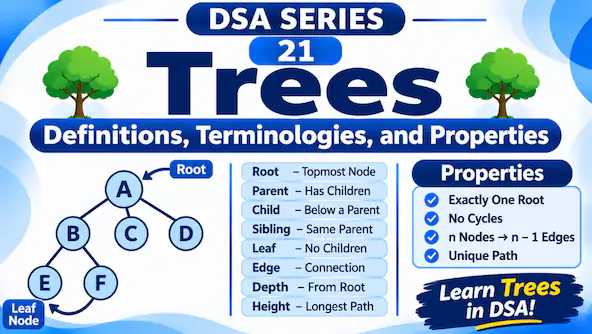
Trees: Definitions, Terminologies, and Properties
Learn the basics of tree data structures, including root, parent, child, leaf, degree, depth, height, and important tree properties with simple diagrams.
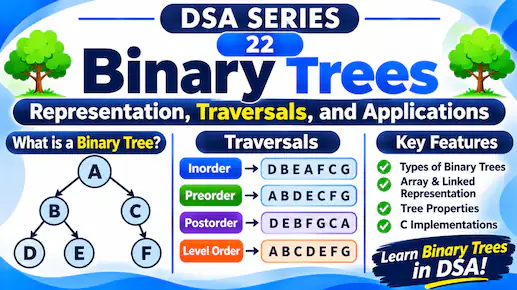
Binary Trees: Representation, Traversals, and Applications
Learn binary tree types, array and linked representations, and inorder, preorder, postorder, and level order traversals with diagrams and C examples.